Map your family tree on a canvas. Add people in one tap, edit in the side panel, export to GEDCOM or JSON.

Easy to use

Tap New to add a person. Select anyone and press + to add their child. Parent-child links are automatic. Pan and zoom on any screen size.
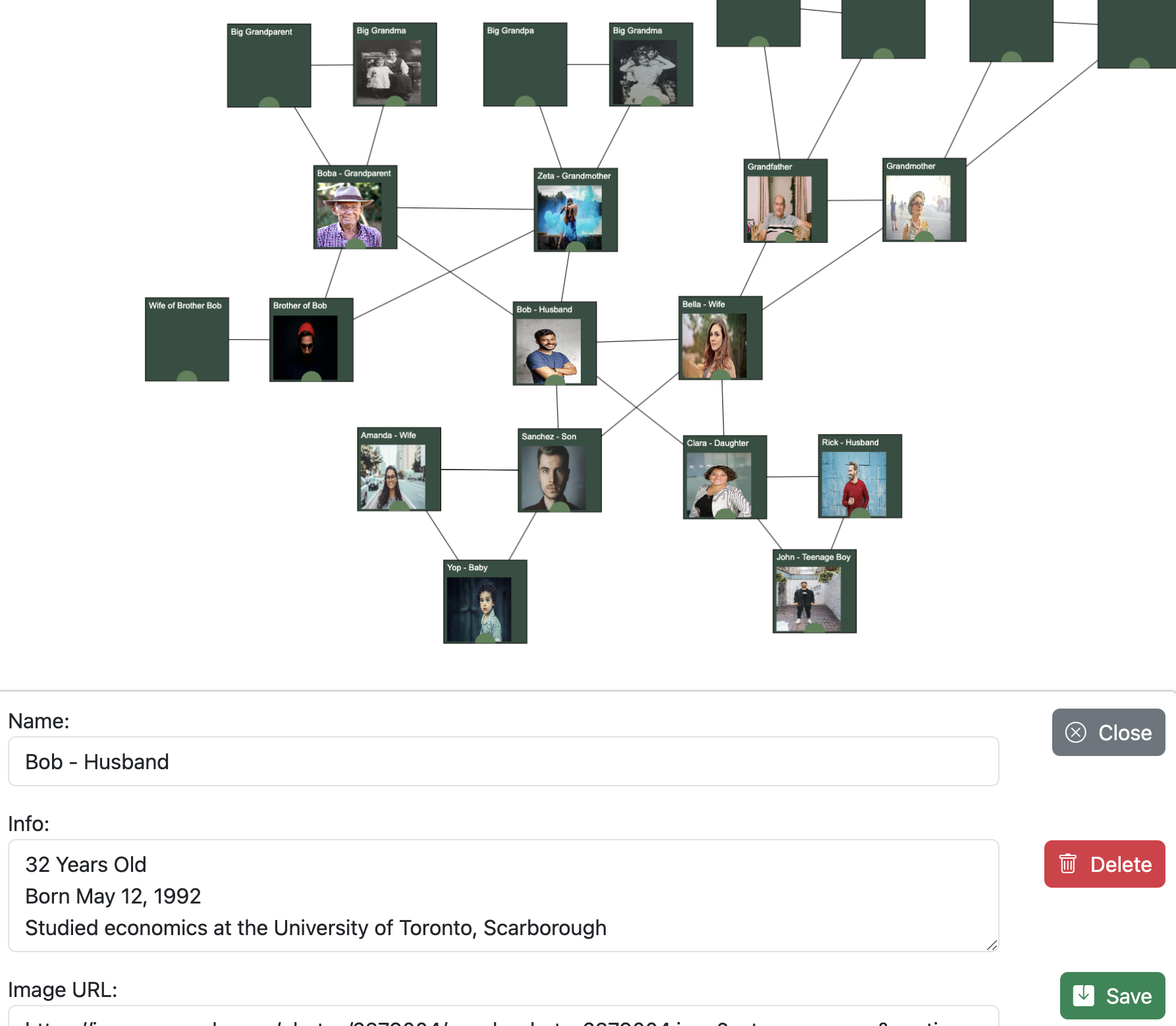
Screenshot of SanjyraTree editor

Make it yours

Set name, bio, photo, and card colors for each member. Light or dark mode, custom canvas backgrounds, and one-click layout tidy.
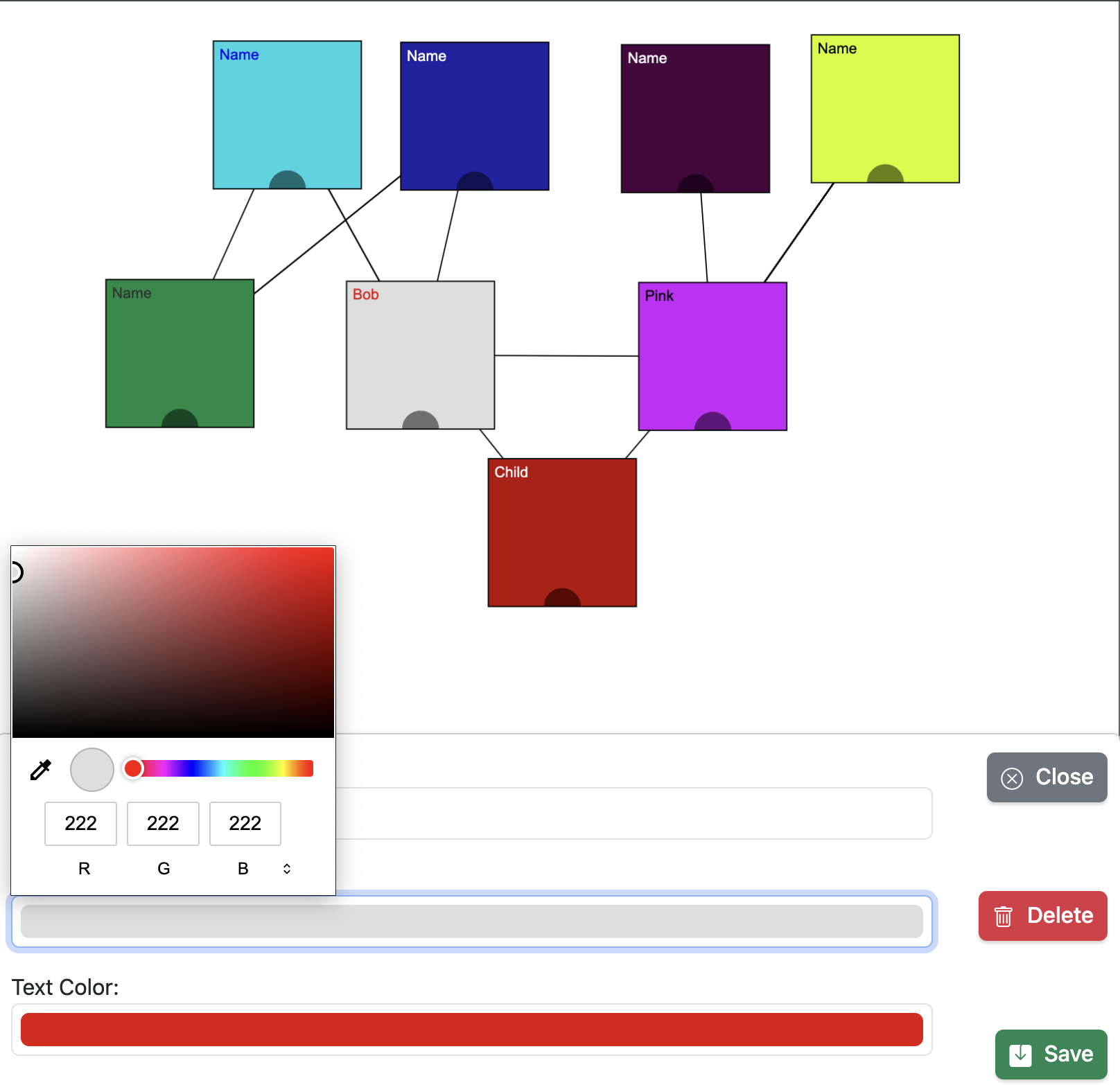
SanjyraTree side panel editor with member details

Save & share your tree

Work autosaves in your browser. Export JSON or GEDCOM, import existing trees, and link spouse branches across tabs.


Vibrant green forest bottom up

sanjyra Kyrgyz noun

A Kyrgyz word for genealogy tree.

About

Built by Eldiiar Bekbolotov.

What is SanjyraTree

SanjyraTree is a free browser-based family tree editor. Multi-branch tabs, spouse links, GEDCOM export, and a canvas you can pan and zoom.

Development Information

Status: All systems operational.

August 2024: Project started.
November 2024: Live at sanjyratree.web.app.
2025 to 2026: Side-panel editor, GEDCOM import and export, branch tabs, spouse links, tidy layout, mobile UI.

Guide

How each feature works.

Features

Updated June 2026.

Feature Description
New member Add people from the bottom toolbar. Select a member and tap + to add a child. The connection is created automatically.
Side panel editor Edit name, bio, photo, and colors in the side panel on desktop or a bottom sheet on mobile. Changes save as you type.
Family branches Work across multiple family lines with tabs. Link spouse branches between tabs.
Search Search by name across all branches and jump to that person on the canvas.
Tidy layout Align generations into columns with one tap. Drag nodes to change parent relationships.
Save & backup Autosave runs continuously. Manual save and load live in Settings. Export or import JSON or GEDCOM (.ged).
Canvas backdrop Set background color or image in Settings. Presets included.
Keyboard shortcuts Cmd/Ctrl+F to search, Cmd/Ctrl+Z to undo, Cmd/Ctrl+T for a new branch, Delete to remove the selected member.
Responsive design Desktop, tablet, and phone. Touch pan, pinch zoom, and a mobile toolbar.
Multiple languages Site translation in Settings. Kyrgyz, Russian, English, French, Chinese (simplified), and Kazakh.